
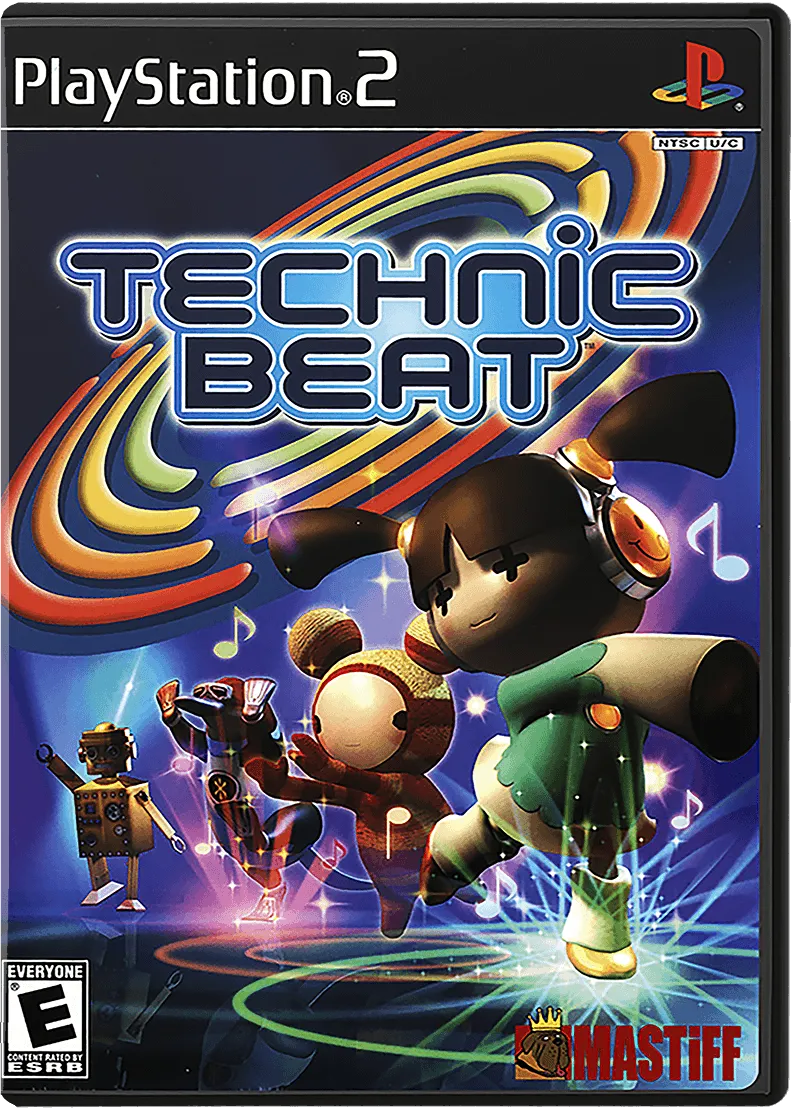
Sony Playstation 2

Technic Beat
Most of Technicbeat’s gameplay takes place on a square-shaped area called a “stage”. During gameplay, circle-shaped “markers” appear on the stage. When these markers first appear, a small circle appears in the center of each marker and then expands like a ripple toward the marker’s outer edge. The player’s goal is to “activate” all the markers that appear by placing their on screen character on top of the marker and pressing a button when the marker’s inner circle overlaps its outer edge. Each marker that appears on the stage corresponds to a note or set of notes in the player’s selected song. If the player successfully activates a marker, it will play its corresponding note(s) and then disappear. If the player does not activate a marker before the marker’s inner circle has expanded past its outer edge, the player is considered to have "missed" the marker, and the marker will disappear. Every time a player activates a marker, they receive a ranking depending on how well they timed their activation. The ranks in order from best to worst are: perfect, great, good, and bad. A bad ranking is also given when a player misses a marker. Similar to the groove gauge in Beatmania, Technicbeat has a “tension indicator” to notify a player of how well he or she is performing. This indicator fills when a player activates a marker and empties when the player misses a marker. In order to “pass” a song, the player must fill their tension indicator past a certain point, known as the “clear line”. If the player’s tension indicator is not filled past the clear line at the end of the song, the player will get a game over. In addition to normal activation, markers can also be activated by using “chains”. If two markers overlap, and one of them is successfully activated, the second marker will become “reserved”. Reserved markers play automatically, without any player action. A reserved marker will also reserve any markers touching it. Thus, by activating one of several overlapped markers, players can form a chain of reserved markers. A player can also create a “chord” by activating two or more non-touching markers at the same time. At the end of each song, players are rewarded with points based on their accuracy, their timing, and the number of chains and chords formed.
- Release date
- November 7, 2002
- Developer
- Arika
- Publisher
- Mastiff
- Players
- 1-2
About this game
Technic Beat
Most of Technicbeat’s gameplay takes place on a square-shaped area called a “stage”. During gameplay, circle-shaped “markers” appear on the stage. When these markers first appear, a small circle appears in the center of each marker and then expands like a ripple toward the marker’s outer edge. The player’s goal is to “activate” all the markers that appear by placing their on screen character on top of the marker and pressing a button when the marker’s inner circle overlaps its outer edge.
Each marker that appears on the stage corresponds to a note or set of notes in the player’s selected song. If the player successfully activates a marker, it will play its corresponding note(s) and then disappear. If the player does not activate a marker before the marker’s inner circle has expanded past its outer edge, the player is considered to have "missed" the marker, and the marker will disappear.
Every time a player activates a marker, they receive a ranking depending on how well they timed their activation. The ranks in order from best to worst are: perfect, great, good, and bad. A bad ranking is also given when a player misses a marker.
Similar to the groove gauge in Beatmania, Technicbeat has a “tension indicator” to notify a player of how well he or she is performing. This indicator fills when a player activates a marker and empties when the player misses a marker. In order to “pass” a song, the player must fill their tension indicator past a certain point, known as the “clear line”. If the player’s tension indicator is not filled past the clear line at the end of the song, the player will get a game over.
In addition to normal activation, markers can also be activated by using “chains”. If two markers overlap, and one of them is successfully activated, the second marker will become “reserved”. Reserved markers play automatically, without any player action. A reserved marker will also reserve any markers touching it. Thus, by activating one of several overlapped markers, players can form a chain of reserved markers. A player can also create a “chord” by activating two or more non-touching markers at the same time.
At the end of each song, players are rewarded with points based on their accuracy, their timing, and the number of chains and chords formed.
Genres
Modes
Studios and credits
- Developer
- Arika
- Publisher
- Mastiff
Regional releases
Release date
Artwork gallery
2 images
Add artwork
Help this listing look its best.
Share missing box backs, screenshots, clear logos, cartridges, discs, and other useful art. Nothing appears publicly until an administrator reviews it.